JeremyPerson.com
- My Corner of the Web
    • 5 Users Online Within The Last 5 Minutes
  • How To Fix Firefox When It Stops Playing Sound In Ubuntu

    February 13th, 2010 by Jeremy

    I was having problems with Firefox in Ubuntu where sound would stop playing (Flash videos in particular) if I had the browser open for 10+ hours.  To fix the issue try the following:

    • Open terminal
    • sudo aptitude install alsa-oss
    • sudo gedit /etc/firefox/firefoxrc
    • Type (or copy/paste) FIREFOX_DSP=”aoss”
      • Save and restart Firefox

    Posted in Open Source & Linux | No Comments »

    How To Install Open Office 3.2 In Ubuntu

    February 12th, 2010 by Jeremy

    I’m a big fan of open source and love the new Open Office 3.2.  The start-up times for each of the programs is now lightening fast now and there are several new features added.  If you are like me and are running Ubuntu, you can follow the instructions below to install it.

    Download the Deb files here.

    • Open terminal and type the following commands and hit enter after each:
      • tar nameOfYourFile.gz
      • cd nameOfFolder/
      • cd RPMS/
      • sudo apt-get install alien
      • sudo apt-get remove openoffice*
      • sudo alien –scripts –keep-version *.rpm
      • sudo dpkg -i *.deb
      • cd desktop-integration/
      • sudo dpkg -i *.deb

    Posted in Open Source & Linux | No Comments »

    Ubuntu: Convert Video Using FFmpeg

    January 9th, 2010 by Jeremy

    I needed to create a .FLV file in Ubuntu from a .MOV for the Jungle Jim’s video and learned about FFmpeg which allows you to use the command line to convert files.  Open terminal and copy/paste one of the following commands below.  Replace the original and final file names and press the enter key.  Depending on the size of your video it could take several minutes for the video to encode.

    Convert a FLV file to a MPG
    ffmpeg -i original_file.flv new_file.mpg

    Convert a MPG file to a FLV
    ffmpeg -i original_file.flv new_file.mpg

    Make a MP3 from a MPG
    ffmpeg -i input.mpg -vn output.mp3

    Convert a WAV file to a MP3
    ffmpeg -i son_original_file.avi -vn -ar 44100 -ac 2 -ab 192 -f mp3 new_file.mp3

    Extract Sound from a Video and Make it a MP3
    ffmpeg -i source_video_here.avi -vn -ar 44100 -ac 2 -ab 192 -f mp3 soundHere.mp3

    Extracting Sound from a Video and Save it as a Mp3
    ffmpeg -i source_video_here.avi -vn -ar 44100 -ac 2 -ab 192 -f mp3 videoSoundHere.mp3

    Posted in Open Source & Linux | No Comments »

    Ubuntu/GNOME Templates

    January 2nd, 2010 by Jeremy

    I didn’t learn this until yesterday but after doing some Googling I found out you can setup GNOME within Ubuntu to have templates setup for new file types.  In Windows at work I’m used to navigating to a directory and right-clicking to add a new Word or Excel document to a directory.  In Ubuntu I was missing that so I learned you can save a blank file in the Templates directory of your home folder and then when you right-click you will have under your “Create Document” category the templates you already have setup.  Very slick…

    Posted in Open Source & Linux | No Comments »

    Google: The Meaning Of Open

    December 23rd, 2009 by Jeremy

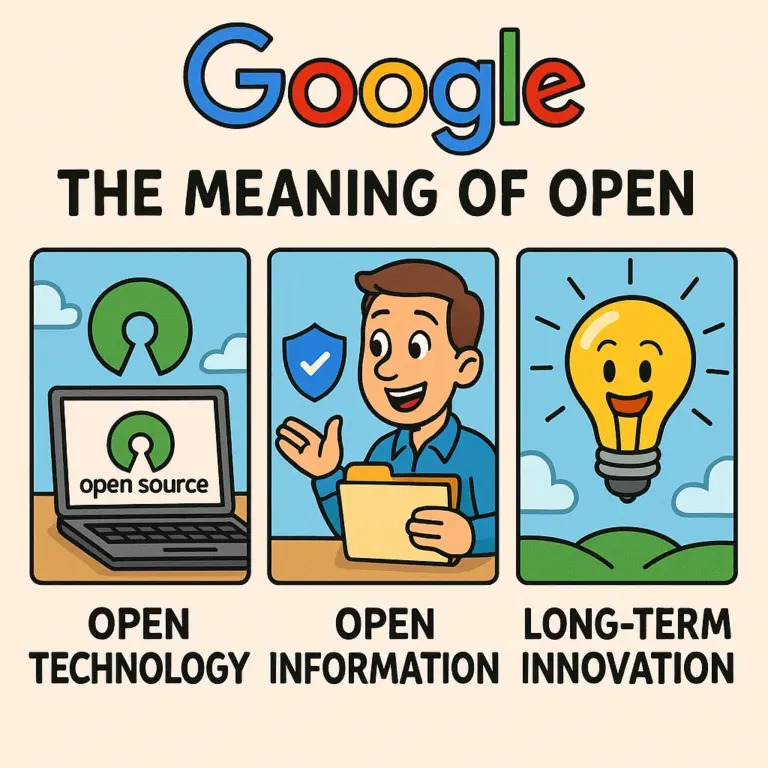
    I liked one of Google’s recent blog posts about “The Meaning of Open“.

    Below is a summary of that article:

    • At Google we believe that open systems win.
    • They lead to more innovation, value, and freedom of choice for consumers, and a vibrant, profitable, and competitive ecosystem for businesses.
    • There are two components to our definition of open: open technology and open information.
      • Open technology includes open source, meaning we release and actively support code that helps grow the Internet, and open standards, meaning we adhere to accepted standards and, if none exist, work to create standards that improve the entire Internet (and not just benefit Google).
      • Open information means that when we have information about users we use it to provide something that is valuable to them, we are transparent about what information we have about them, and we give them ultimate control over their information.
    • The conventional wisdom goes that companies should lock in customers to lock out competitors.
    • There are different tactical approaches — razor companies make the razor cheap and the blades expensive, while the old IBM made the mainframes expensive and the software … expensive too.There are different tactical approaches — razor companies make the razor cheap and the blades expensive, while the old IBM made the mainframes expensive and the software … expensive too.
      • They can also deliver well-designed products in the short run — the iPod and iPhone being the obvious
      • examples — but eventually innovation in a closed system tends towards being incremental at best (is a four blade razor really that much better than a three blade one?)
    • In an open system, a competitive advantage doesn’t derive from locking in customers, but rather from understanding the fast-moving system better than anyone else and using that knowledge to generate better, more innovative products.
    • Open systems have the potential to spawn industries. They harness the intellect of the general population and spur businesses to compete, innovate, and win based on the merits of their products and not just the brilliance of their business tactics. The race to map the human genome is one example.
    • Networks have always depended on standards to flourish. When railroad tracks were first being laid across the U.S. in the early 19th century, there were seven different standards for track width. The network didn’t flourish and expand west until the different railway companies agreed upon a standard width of 4′ 8.5″. (In this case the standards war was an actual war: Southern railroads were forced to convert over 11,000 miles of track to the new standard after the Confederacy lost to the Union in the Civil War.)
    • Next, we need to make it easy for users to find out what information we gather and store about them across all of our products.
    • Finally, we must always give control to the user.
    • Closed systems are well-defined and profitable, but only for those who control them.
    • Open systems are chaotic and profitable, but only for those who understand them well and move faster than everyone else. Closed systems grow quickly while open systems evolve more slowly, so placing your bets on open requires the optimism, will, and means to think long term.

    Posted in Open Source & Linux | No Comments »

    Boxee Rules

    December 8th, 2009 by Jeremy

    I’ve tried Boxee in the past but their latest release is outstanding.  I took some screenshots of it for you and on my 24″ monitor it looks amazing!  Ladies and gentlemen, welcome to the future of television!  You can get videos, pictures, applications, and music (digital media) all in one handy place.  Not to mention it has a super slick interface with an Internet back end to pull new content (you can also browse your local media).  Not to mention they just recently announced in 2010 they will be releasing the Boxee Box which will allow you to purchase hardware that will allow you to easily view Boxee content on your television for those who don’t want to run a cable to their TV from a computer (or view it using a computer screen).  I highly recommend you get an account, download the free (and open source) software, and follow me.

    Posted in Open Source & Linux | No Comments »

    Ubuntu 9.04 Fix for Software Update Issue

    October 27th, 2009 by Jeremy

    ubuntu-logo217

    I had been having a problem with receiving updates in Ubuntu 9.04 (Jaunty Jackalope).  I could receive a list of updates just fine but upon attempting to install the updates the window would completely disappear.  I was able to fix the issue by opening terminal and typing the following:

    sudo apt-get update
    sudo apt-get dist-upgrade

    Posted in Open Source & Linux | No Comments »

     
    Page 1 of 9123456789